EMFexplorer: GDI+ Metafile Internals
EMFexplorer is a legacy graphics engineering utility built to dissect, inspect, and accurately render Windows Enhanced Metafiles (.emf) and standard Windows Metafiles (.wmf), including their compressed forms (.emz, .wmz). Developed in 2004, the project also includes an ActiveX component to display these files directly on HTML pages or forms.
What is EMFexplorer? (The Core Purpose)
Normally, Windows and Microsoft Office can natively display EMF/WMF files. However, traditional rendering through the standard Windows GDI pipeline often suffered from severe quality degradation, jagged lines, and poor vector interpolation.
The primary challenge and purpose of EMFexplorer was to leverage GDI+ (Graphical Device Interface+) to render vector documents with high-quality smoothing and anti-aliasing, matching the precision of dedicated document viewers like Adobe Acrobat.
The Smoothing Proof
When rendering complex technical drawings, the difference between the standard Windows GDI and EMFexplorer's custom GDI+ treatment is night and day.
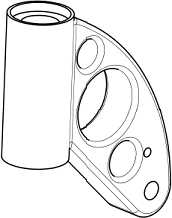
Original PDF
(by Adobe Acrobat)

EMF
(by Windows GDI)
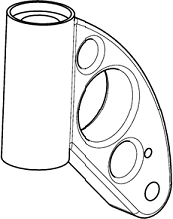
EMF
(by EMFexplorer)
Figure: EMFexplorer smoothing and anti-aliasing comparison.
Note: The example was chosen (images are not falsified) to make the point as clear as possible; of course not all GDI outputs are that bad.
- Original PDF (Adobe Acrobat): Clean vector curves.
- Standard EMF (Windows GDI): Broken, pixelated lines with missing segments due to primitive rasterization.
- EMF (EMFexplorer): Smooth, high-fidelity lines utilizing advanced GDI+ anti-aliasing.
Note: Merely passing an EMF file to the Microsoft GDI+ 1.0 library is not enough to achieve this output. A significant amount of stream parsing, pre-processing, and record treatment is necessary—which represents the core engineering value of EMFexplorer.
Technical Architecture
Windows Enhanced Metafiles store vector graphics as a sequential stream of binary structures called Records. Parsing these structures requires strict byte-alignment and an intimate understanding of the Windows graphics sub-systems.
Multi-Layer Design
The utility was architected around three functional layers:
- The Parsing Engine: Iterates through the EMF binary stream, isolating individual record headers (
ENHMETARECORD) and decoding their specific parameters. - The Serialization/Inspection Tree: Maps the linear stream into a structured visual hierarchy, allowing real-time navigation of GDI objects (Pens, Brushes, Fonts, Palettes).
- The GDI+ Rendering Pipeline: Safely plays back selected records onto an isolated device context (DC) with anti-aliasing algorithms enabled.
// Conceptual loop used for record stream traversal
void DissectMetafile(HENHMETAFILE hEmf) {
    UINT uSize = GetEnhMetaFileBits(hEmf, 0, NULL);
    BYTE* pBits = new BYTE[uSize];

    if (GetEnhMetaFileBits(hEmf, uSize, pBits) > 0) {
        ENHMETARECORD* pRecord = (ENHMETARECORD*)pBits;
        while ((BYTE*)pRecord < pBits + uSize) {
            // Process iType (e.g., EMR_HEADER, EMR_POLYGON, EMR_SETTEXTCOLOR)
            LogRecordType(pRecord->iType, pRecord->nSize);
            pRecord = (ENHMETARECORD*)((BYTE*)pRecord + pRecord->nSize);
        }
    }
    delete[] pBits;
}
Target Audience
EMFexplorer was built as a developer-oriented tool. It was designed specifically for software engineers needing to debug corrupted vector outputs, reverse-engineer proprietary metafile variants, or embed high-quality vector rendering components into third-party Win32 applications.
Project & Package Architecture
The underlying engine bridges high-level document handling with low-level vector manipulation. The graphics library specializes in parsing and reusing documents formatted as Enhanced Metafile Format (.emf), Windows Metafile (.wmf), and GDI+ supported bitmap formats (.bmp, .jpeg, .png, .tiff, .gif).
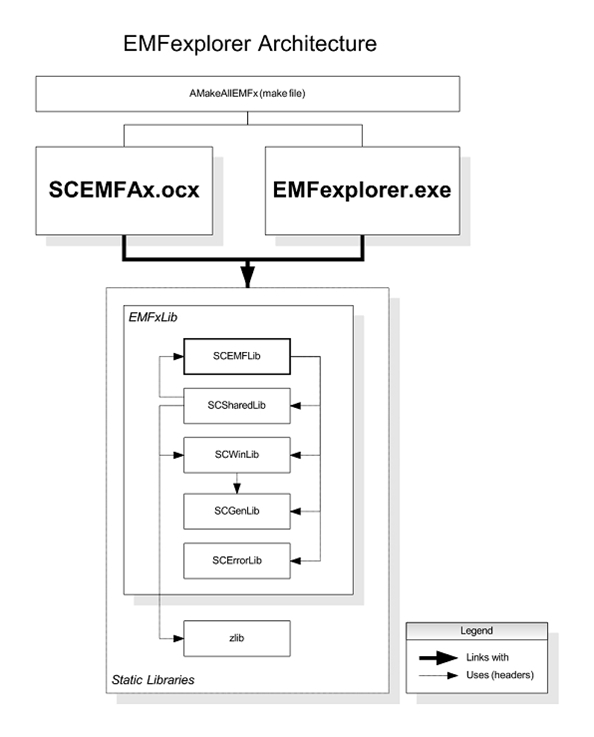
Key Subsystems (2004 Implementation)
- Graphics Engine: Custom parsing abstraction layer built to isolate and reconstruct scalable vector graphic layers.
- Demonstration Subsystem (
EMFexplorer.exe): The main interactive desktop client containing the visual layout analyzer and step-by-step record inspector tree. - ActiveX Controller (
SCEMFAx.ocx): A scriptable component designed for historical web integration, supporting progressive image streaming, parsing, and real-time canvas rendering.
EMFexplorer desktop
This program demonstrates different use cases for the graphics engine, which is isolated in a library.
Main page
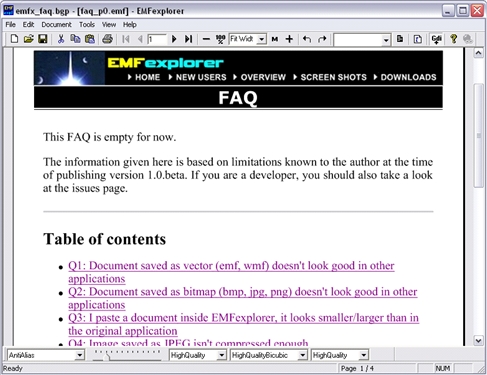
This is a Single Document Interface allowing to open, copy, paste, and save pages. GDI+ settings (smoothing, contrast, etc.) can be changed through a dedicated toolbar (above the statusbar).
Document reflow page
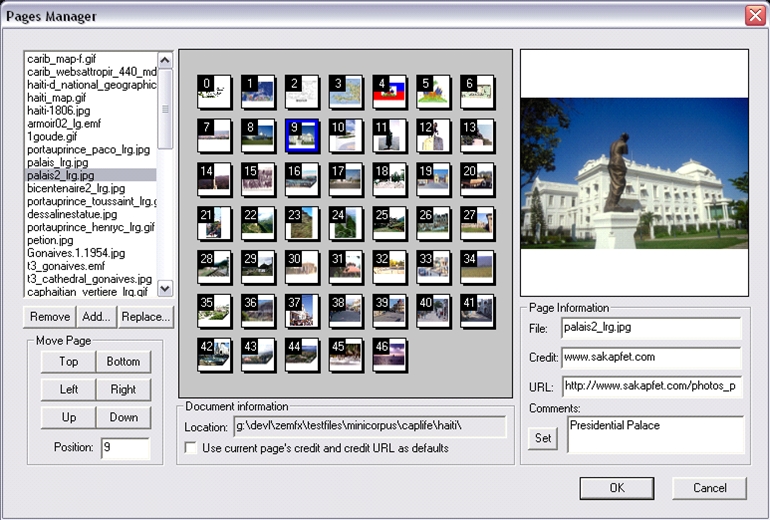
A collection of images can be placed in a file having the extension .bgp (for Bound Graphics Pages). The demonstrator allows browsing the images and change their position in the collection.
EMF records exploration (hence the name of the experiment)
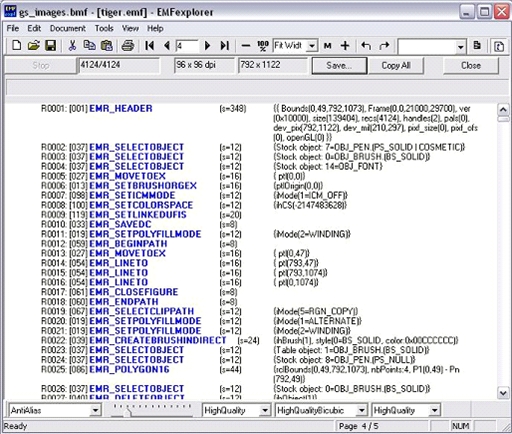
EMFexplorer allows viewing EMF records as plain text. The following screenshot shows a few records from the thousands making up a tiger image.